draft
howto
How to configure CLion for remote dev with a Raspberry Pi4
Update the Pi4 OS and install cmake :
Do that in your Pi:
sudo apt update
sudo apt upgrade

# check what is already installed :
apt list -a cmake gdb
sudo apt install cmake gdb
Install openssh on Pi4. And not Dropbear because dropbear does not support sftp.
https://dietpi.com/docs/software/ssh/
If the Pi4 does not have sftp installed, the error is :
$ sftp root@pi4
bash: line 1: /usr/lib/sftp-server: No such file or directory
Connection closed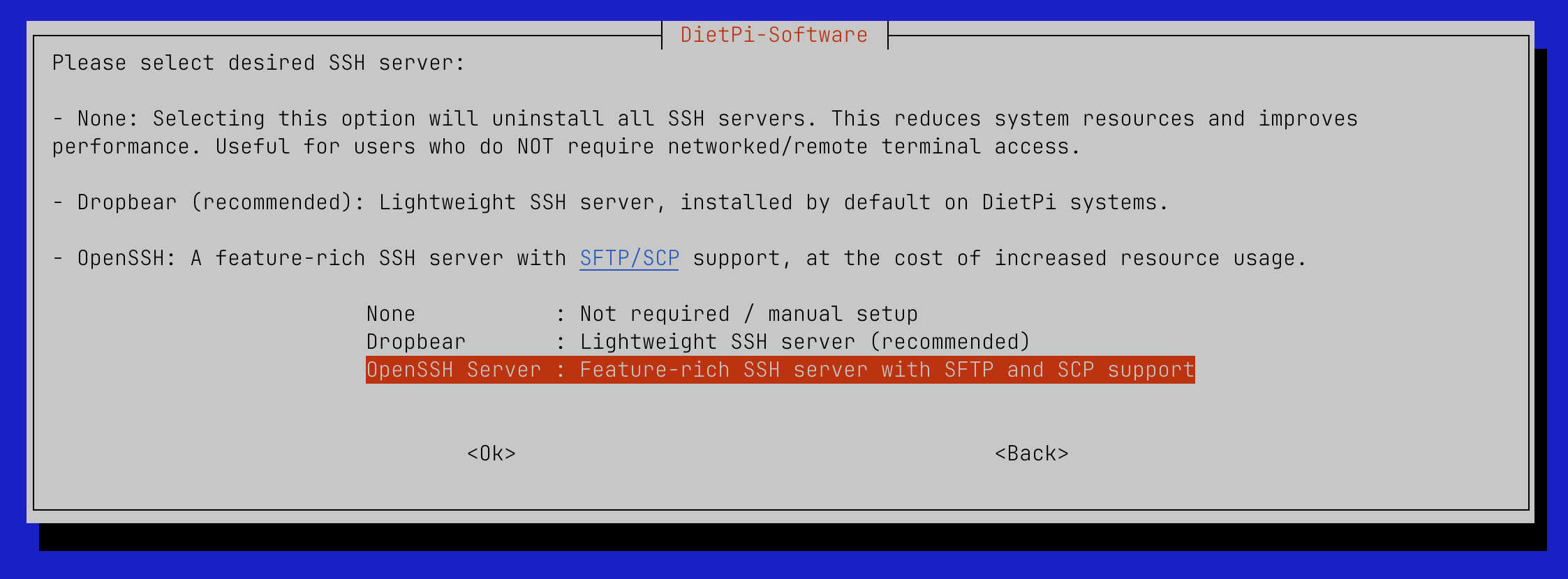
Configure the project in CLion :
https://www.jetbrains.com/help/clion/remote-projects-support.html
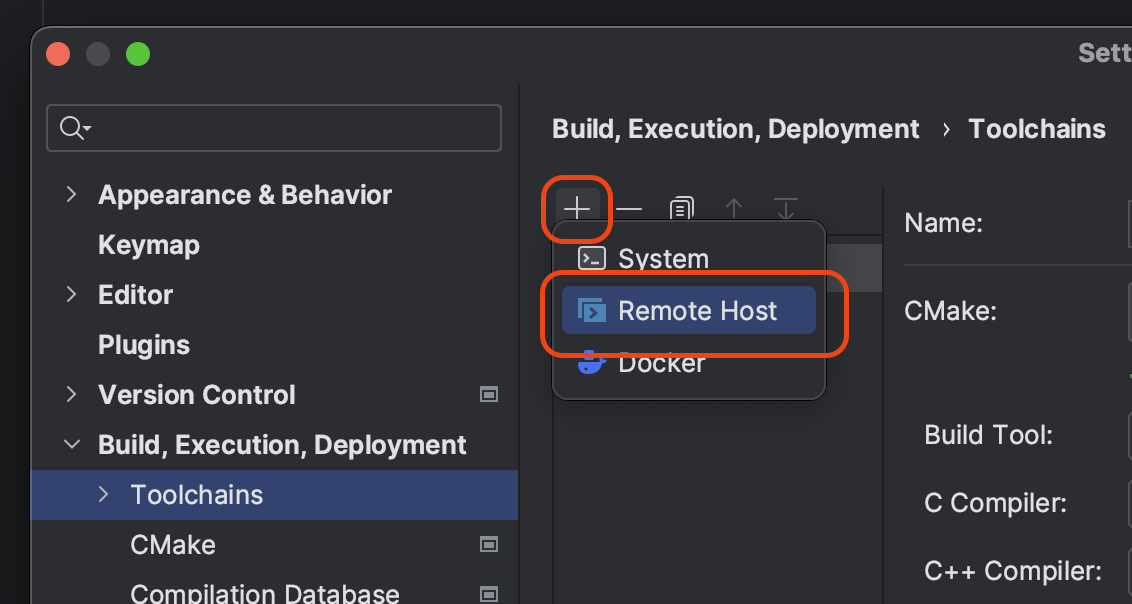
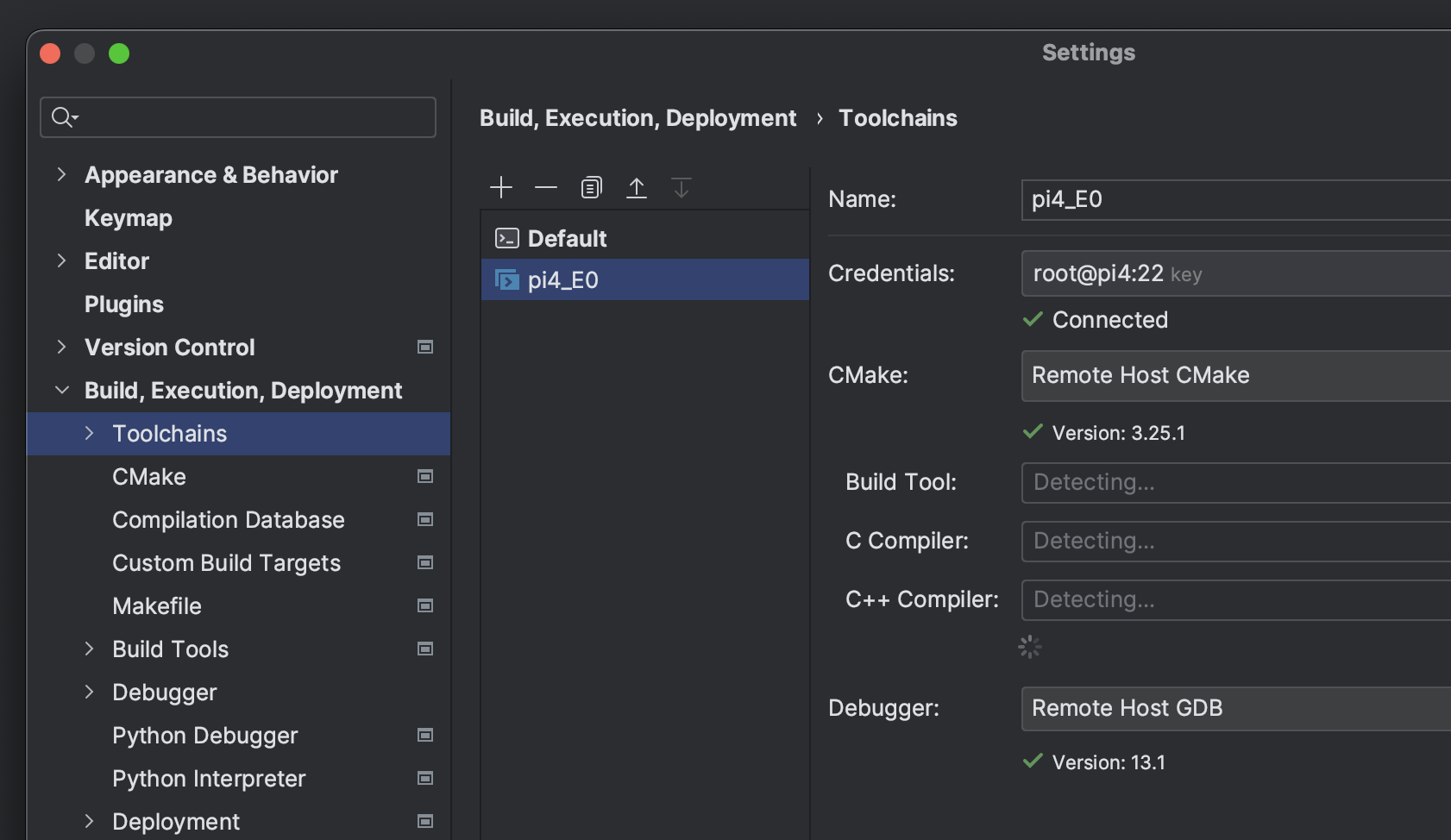
- Configure the Toolchain :
- Configure CMake and select toolchain created in 1 :
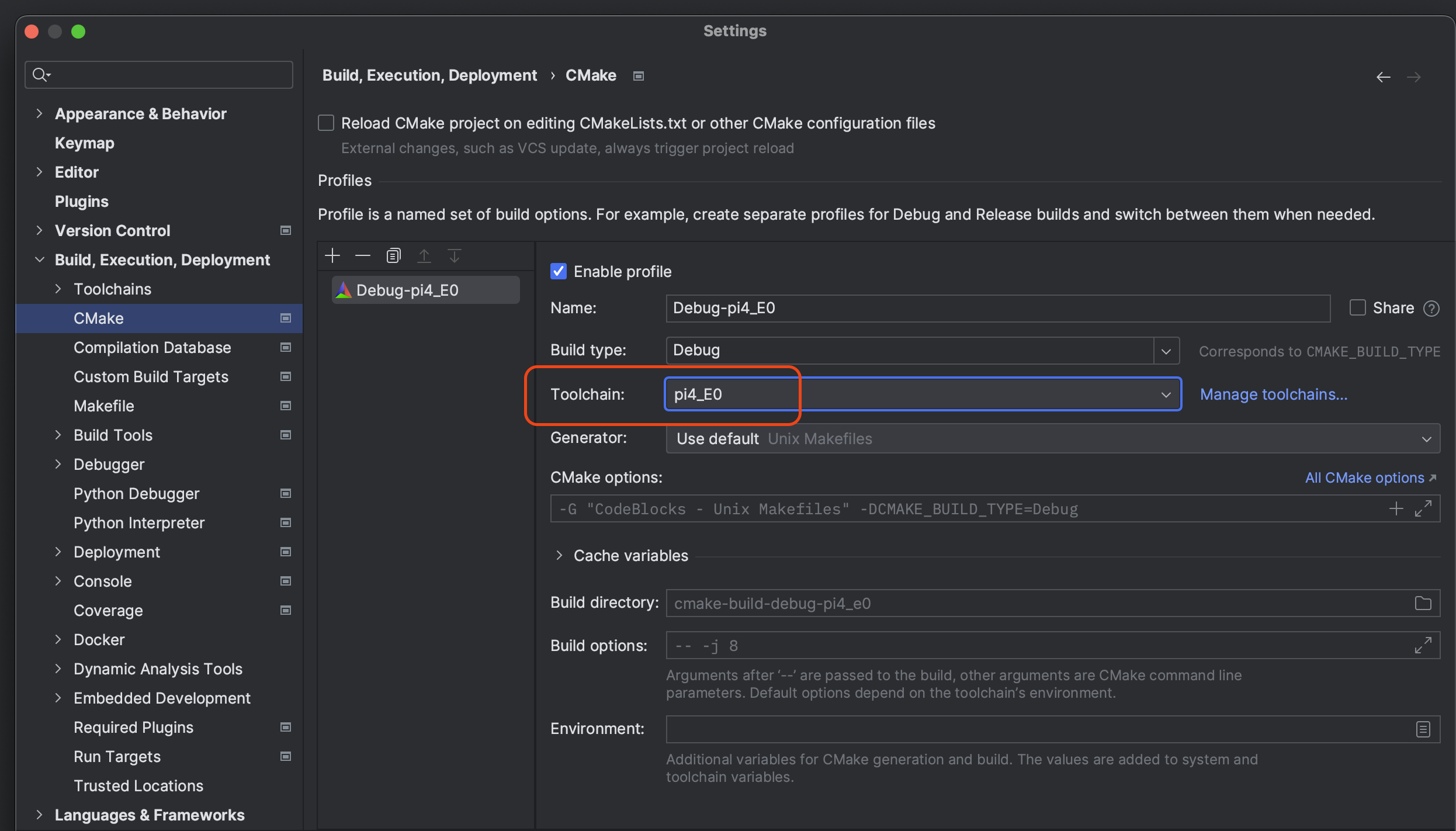
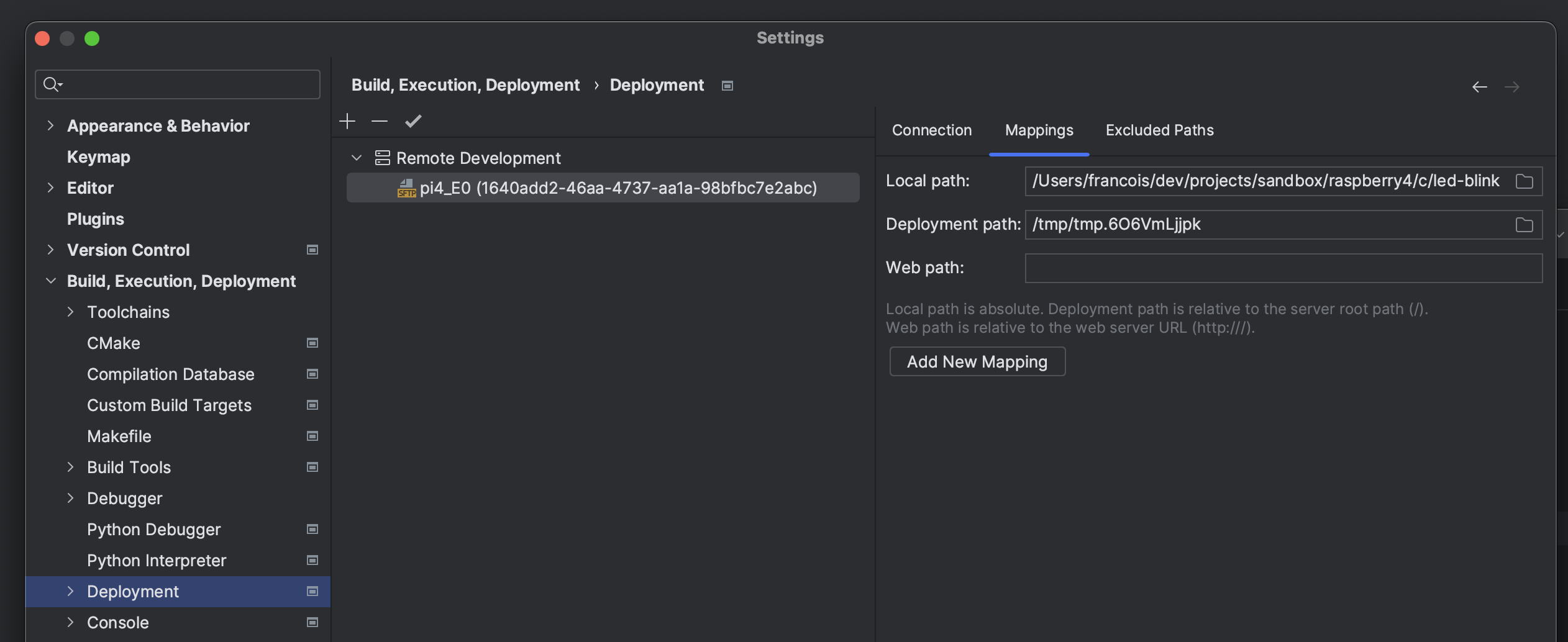
- Configure the deployment mapping :
- Select profile and run :